
PS Core Toolbox · App for the Mac
The tool
for every Mac.
Check, migrate, clean up, reinstall: the Toolbox brings everyday Mac workshop tasks together. It ends with an inspection report that goes straight to PS Core.
macOS 14 or later · Apple silicon · Licensed through PS Core
Who it is for
For workshops, support
and refurbished devices.
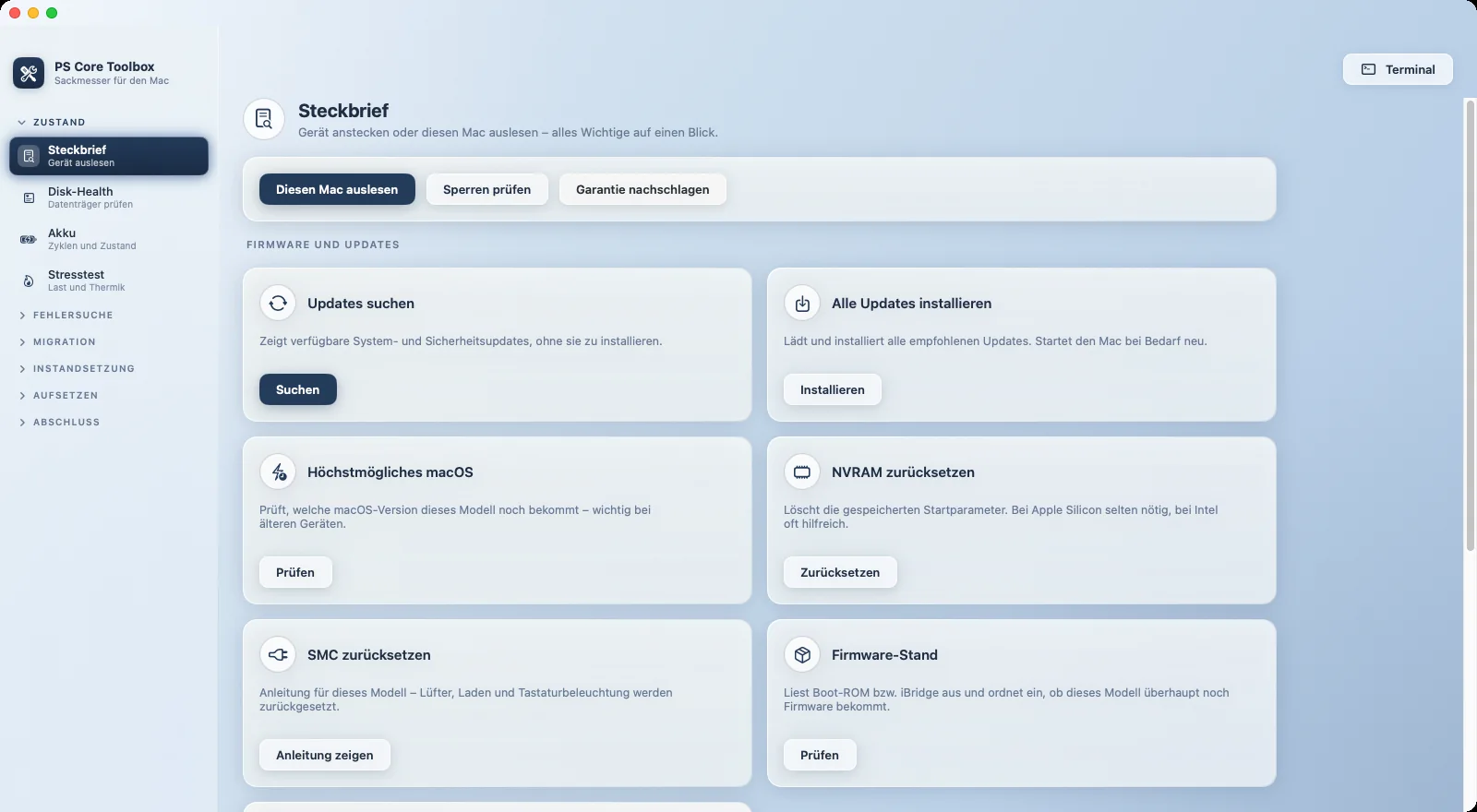
If you take in, check, sell or migrate Macs every day, you need reliable tools in one place. The Toolbox guides you through every task and rates results clearly, with colour and symbols, so they stay readable even in black-and-white print.
Check condition
Clear values
instead of guesswork.
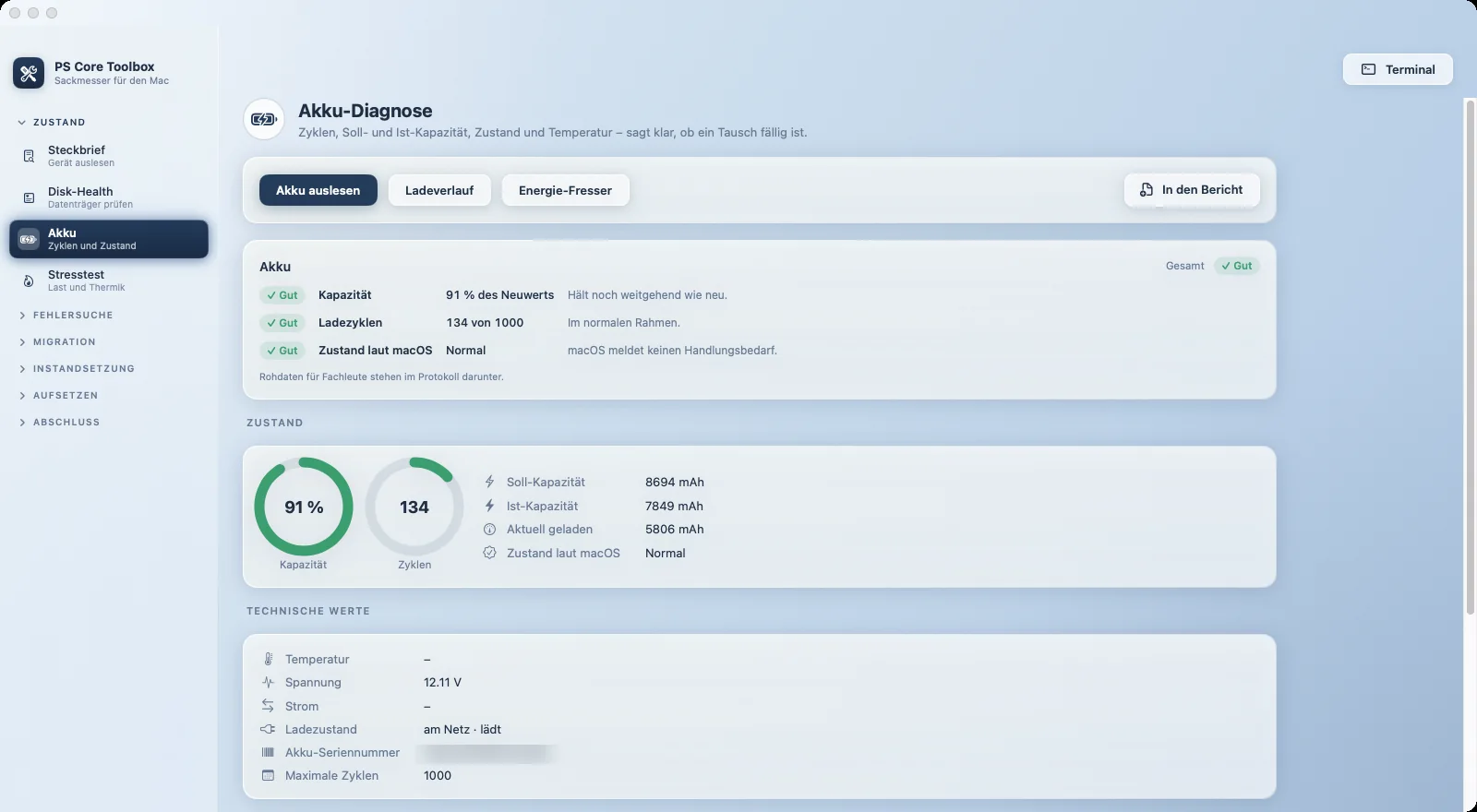
Device profile, battery, drives and stress test show a Mac's condition within minutes. Every rating names the measured value and what it means.
- Battery with cycles, capacity and replacement advice
- Check SSDs, hard drives and USB sticks
- Stress test with temperature and throttling
Migration
Moving without
forgotten steps.
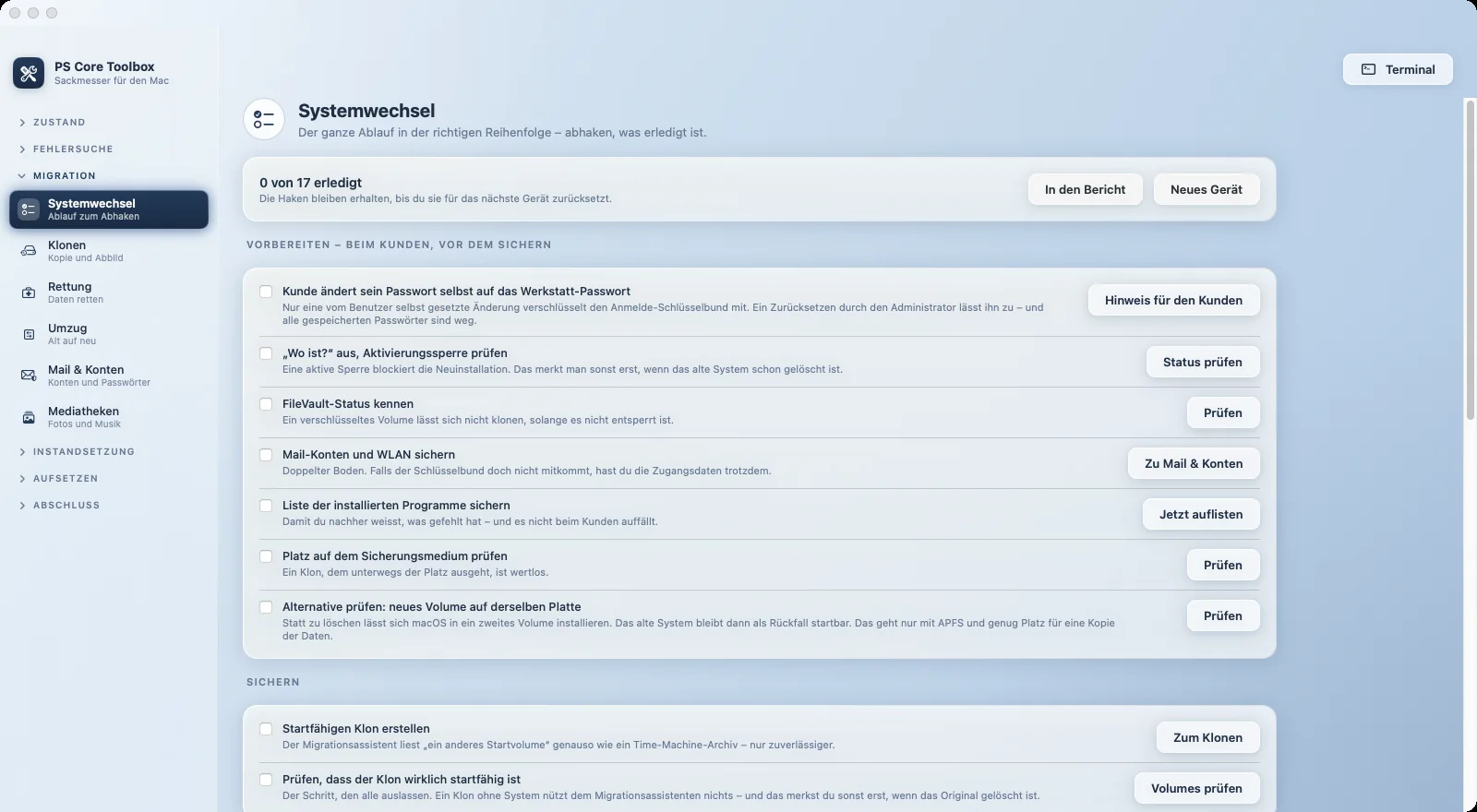
The system switch is a checklist covering preparation, backup, installation and handover. Cloning, data recovery and mail accounts are built right in.
- Bootable clones and disk images
- Image failing drives first, then recover
- Move mail accounts and Wi-Fi to the new Mac
Inspection report
One report,
straight into PS Core.
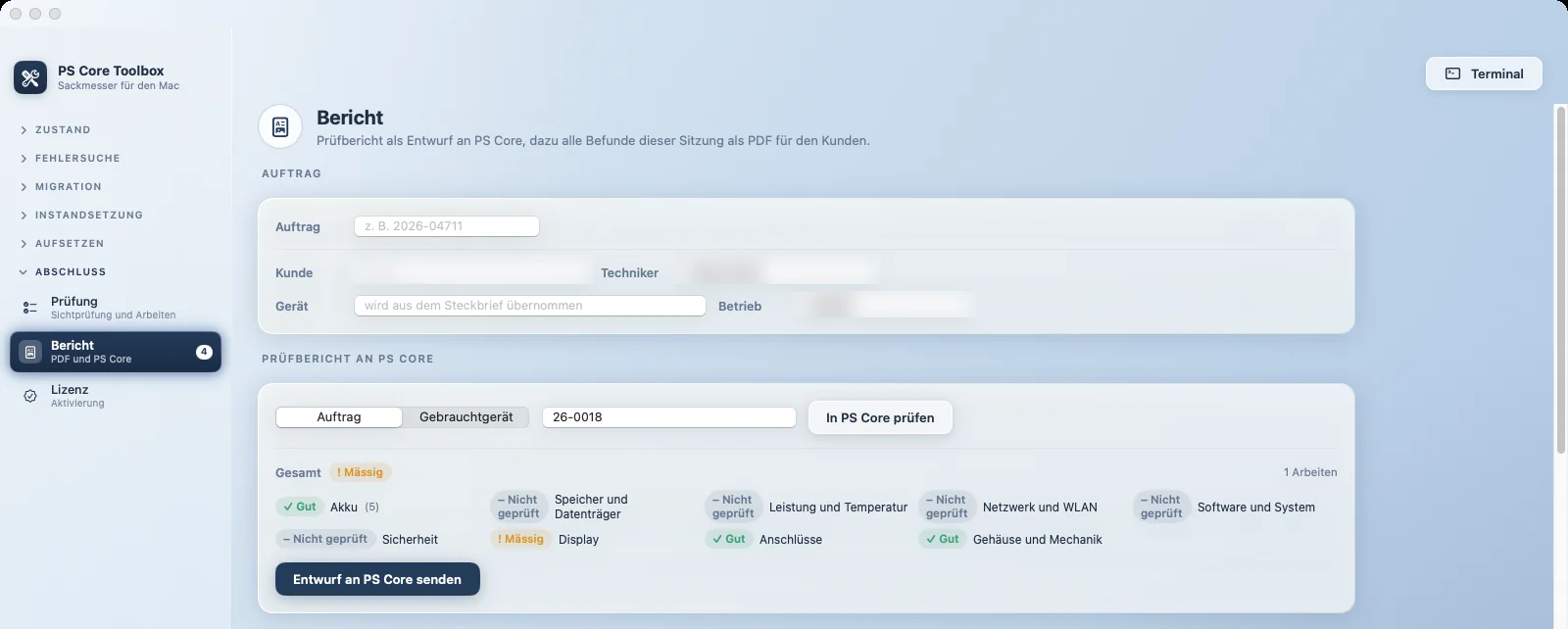
Measurements, visual inspection and work carried out go to the repair order or refurbished device in PS Core as a draft. There you approve the report and show it to the customer online.
- Target: repair order or refurbished device
- Approval and customer view in PS Core
- PDF with every finding of the session
All Toolbox features
Condition and troubleshooting
- Device profile with model, specs and MDM status
- Disk health and battery diagnostics
- Network: devices, throughput, Wi-Fi environment
- Knowledge base with known faults
Migration
- System switch as a checklist
- Cloning, disk images and data recovery
- Move mail accounts and Wi-Fi
- Photos and Music libraries
Maintenance
- Storage analysis with clean-up assistant
- Clean up and uninstall via the Trash
- Login items and permissions
- macOS updates and proven settings
Setup and wrap-up
- Boot USB stick with Apple's own tool
- Install apps after a clean install in one go
- Visual inspection and work carried out
- AI help with redacted data (optional)
How to start
Four steps
to the Toolbox.
Set up PS Core
Register your business with PS Core.
Assign licences
Under “Tools”, each team member gets an activation code.
Download the app
The signed Mac app is also available for download under “Tools”.
Activate
Enter the code and you are done. Updates arrive automatically after that.
Privacy
You see what the Toolbox
sends before it goes.
The inspection report only goes to your PS Core account. Before the optional AI receives anything, the Toolbox shows you the content and redacts serial numbers, user names and email addresses.
Questions about the Toolbox
What do I need for the Toolbox?
A Mac with Apple silicon and macOS 14 or later, and a PS Core account whose plan includes the Toolbox. The plans that include it are listed under pricing.
Where does the inspection report end up?
As a draft on the repair order or refurbished device in PS Core. There you review it, approve it and share it with the customer.
Does the Toolbox delete data permanently?
No. Clean-up, storage analysis and uninstall move everything to the Trash. Nothing is deleted directly.
Which language is the Toolbox in?
The Toolbox interface is currently in German.