
PS Core for suppliers
Where repair shops place their orders.
Connect your catalogue to PS Core and receive orders in a structured way, in your own portal.
Registration and review by PS Core, then approval
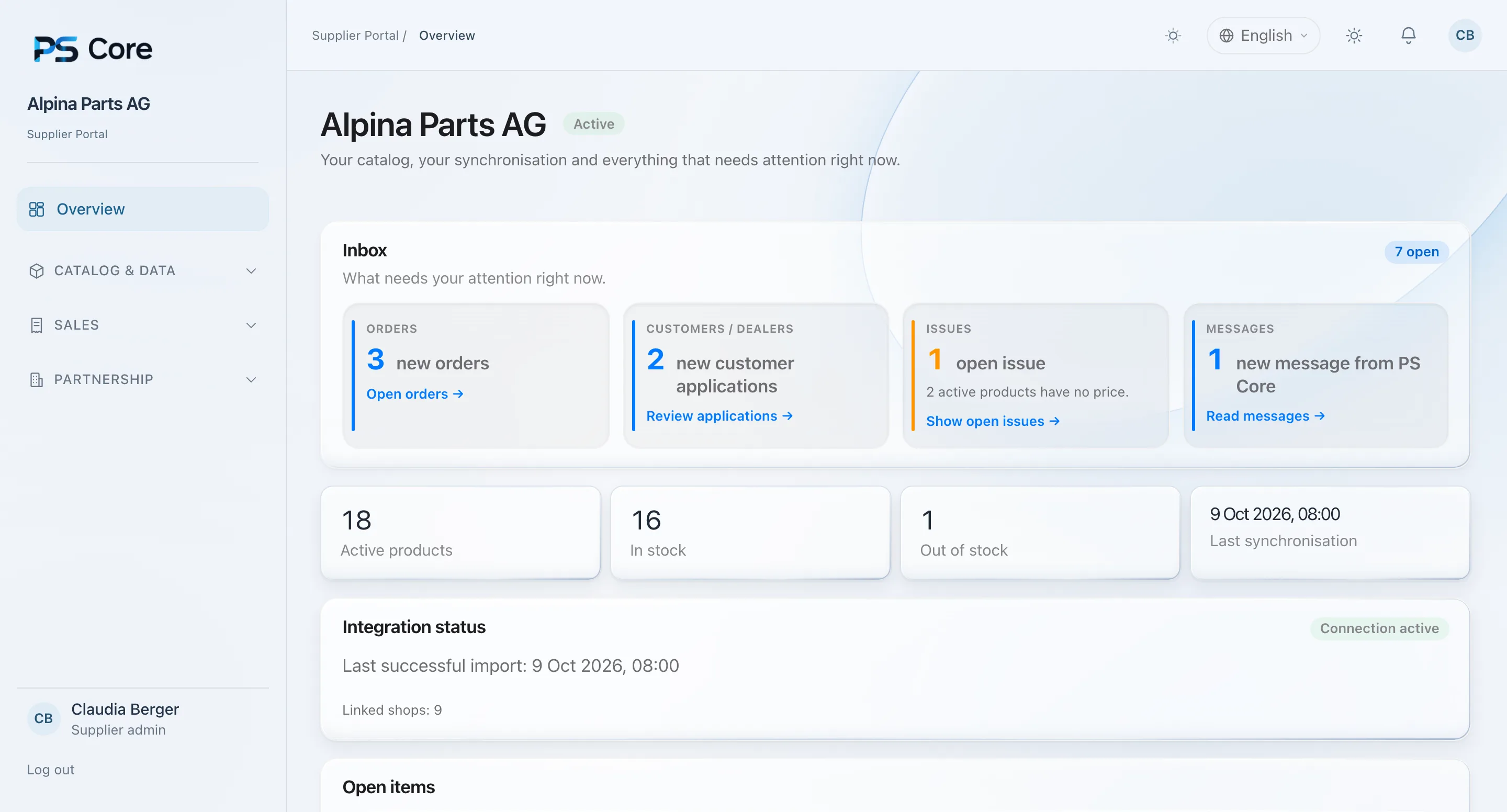
One channel
Orders instead of email threads.
Repair shops prepare their orders directly in PS Core. They reach you complete and traceable, with customer number, line items and status. No retyping from emails.
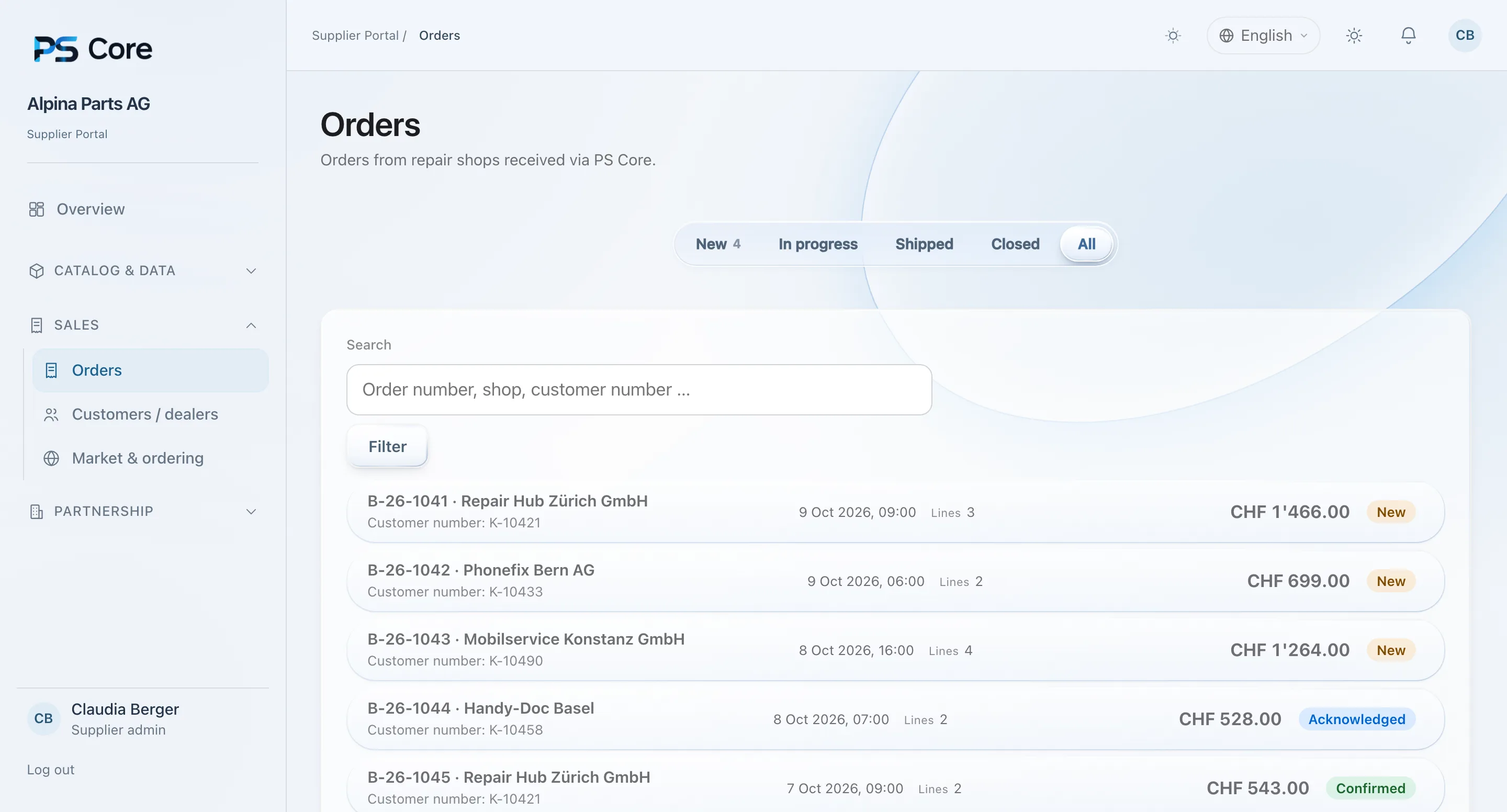
Orders
Everything arrives in order.
You see new orders in the portal right away, with shop, customer number, line items and amount. Every step from receipt to shipping is visible.
- Orders straight from the shops’ system
- Status from new to completed
- New orders visible in the portal at once
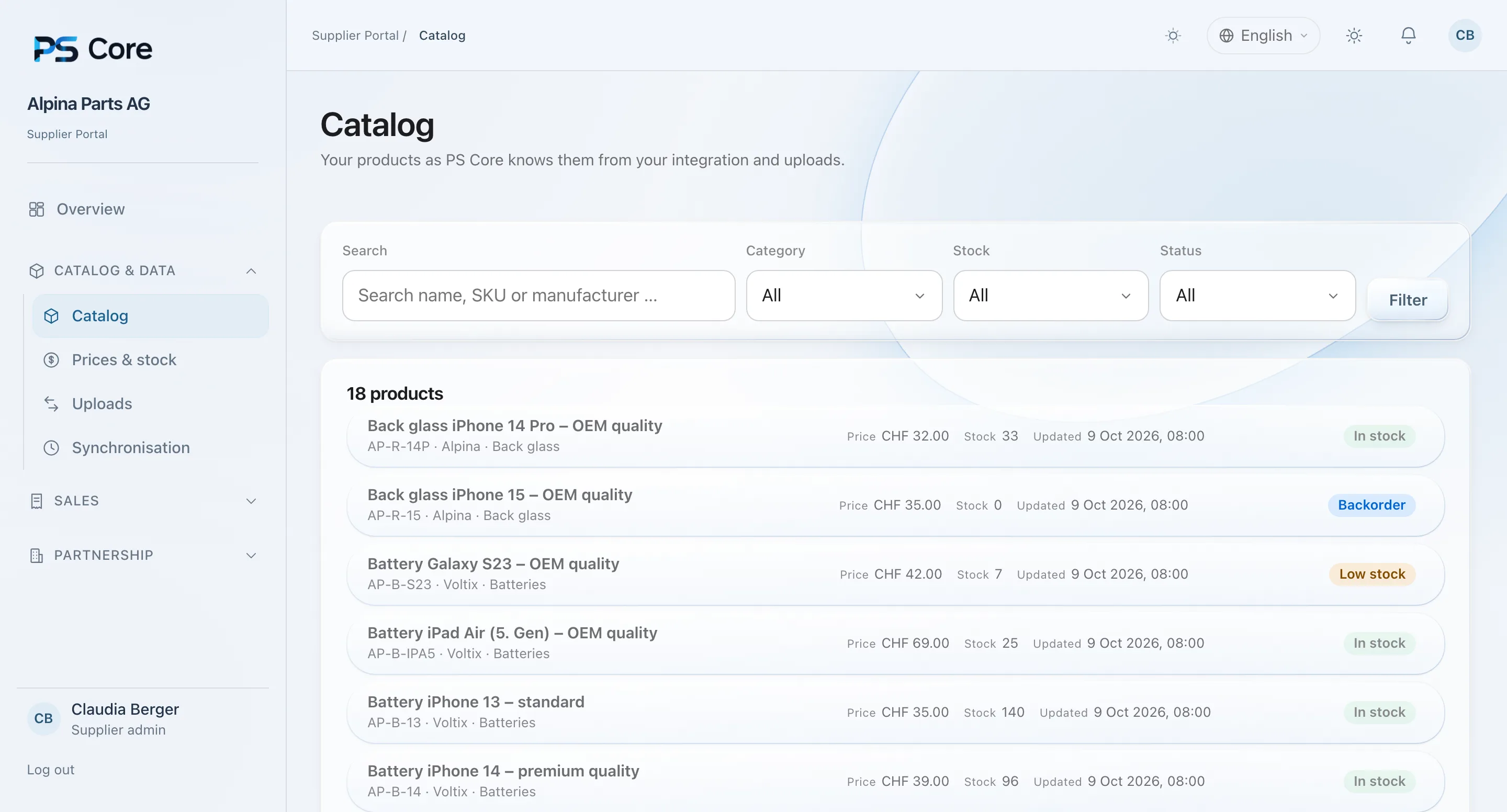
Catalogue
Your catalogue. Always up to date.
Products, prices and stock reach PS Core via a connector or upload. Shops always see what you can deliver.
- Connection via connector or upload
- Prices and stock in one place
- Synchronisation with timestamp
Approvals
You decide who orders.
You review customer requests from shops yourself before they can order from you. What needs attention right now is visible at a glance.
- Approve retailers and customers yourself
- Documents and messages in the portal
- Every connection reviewed by PS Core
How it works
Four steps to become a partner.
Register
Create an account for your company and confirm your email.
Complete your profile
Add company details, markets and currencies.
Describe your connection
State the connector and the functions you offer.
Review and approval
PS Core reviews your details and activates the connection.
Security & access
Your own access.
Clear roles.
Your portal is a separate login. Repair shops only see what you release to them.
Frequently asked questions
Who can register as a supplier?
Companies that supply repair shops with spare parts, accessories or devices. After registration, PS Core reviews your details.
How does the connection work?
You describe your connector and functions in the portal. PS Core reviews them technically and approves the connection.
Who sees my data?
Your portal is a separate access. Repair shops only see what you release to them.
Can I invite my team?
Yes. You assign roles for administration, technical, commercial and read-only access.
Become part of the network.
Register your company and start the connection.
Register as a supplierQuestions? [email protected]